

















ou've just wrapped a beautiful session. The editing is done, the images are gorgeous, and you're ready to deliver. But first, you need to log into your gallery software. Then switch to your contract platform to send the print release. Then open your invoicing tool to request payment. Then check your CRM to make sure you've logged everything. Then reply to the client's email asking when they'll receive their photos.
Sound familiar?
If you're running your photography business across multiple platforms—one for galleries, another for contracts, a third for payments, maybe a spreadsheet for client tracking—you're not alone. But you're also spending mental energy on administrative juggling that could go toward your creative work. And your clients? They're clicking through different portals, trying to remember which link goes where, wondering why your brand experience feels a little disjointed.
All-in-one photography software exists to solve this exact problem. It's not about cramming every possible feature into one bloated platform. It's about bringing your core business functions—image delivery, contracts, invoicing, payments, and client communication—into a single, cohesive system that works the way photographers actually work.
This guide will help you understand what "all-in-one" really means, which features matter most for professional photographers, and how the major platforms compare. Whether you're a wedding photographer drowning in admin tasks or a portrait photographer looking to streamline your client experience, you'll walk away knowing which solution fits your business best.
What 'All-in-One' Photography Software Actually Means
The term "all-in-one" gets thrown around a lot in the software world, but for photographers, it has a specific meaning. True all-in-one photography platform software handles multiple core business functions within a single platform—without requiring you to bolt on third-party integrations or maintain separate accounts.
At minimum, this means client galleries, contracts, invoices, and payment processing all live in one place. Your clients receive one branded link, one login experience, and one cohesive interaction with your business. You manage everything from one dashboard, with your client data, communication history, and deliverables all connected.
This is different from general business management tools like HoneyBook CRM for photographers or Dubsado, which excel at CRM, workflows, and lead management but treat image delivery as an afterthought. Those platforms are built for service businesses broadly—coaches, designers, event planners—and galleries are often handled through external links or integrations. For photographers, whose primary deliverable is images, this creates friction.
It's also different from standalone gallery platforms that added contracts and invoices later as bolt-on features. The question isn't whether a platform technically offers these tools, but whether they're genuinely integrated into your workflow or feel like separate modules you have to remember to use.
Why does this integration matter? Because your clients don't care about your backend systems. They want a smooth, professional experience. When they click your gallery link, sign their contract, and pay their invoice all within the same branded environment, you look more established and easier to work with. When they have to jump between your gallery site, a DocuSign link, and a PayPal invoice, the experience feels fragmented—even if you're doing great work.
For you, the photographer, consolidation means fewer logins to remember, less time spent copying client information between systems, and a single source of truth for each client's status. It means you can see at a glance who's viewed their gallery, who's signed their contract, and who still owes payment—all in one place. Understanding why every photographer needs a CRM helps clarify the value of this centralized approach.
The best all-in-one platforms are built specifically for photographers, with workflows designed around how you actually run sessions and deliver images. They understand that your business starts with booking, centers on image delivery, and extends through print sales and repeat clients. Everything else supports that core photography workflow.
Core Features Professional Photographers Actually Need
Not all all-in-one platforms are created equal, and not every feature matters equally for every photographer. But there are four core areas that professional photographers depend on daily. Here's what to look for in each.
Client Galleries: This is your primary deliverable, so gallery functionality should be excellent, not adequate. Look for customizable branding—your logo, colors, and fonts throughout the gallery experience. Mobile-friendly viewing is non-negotiable since many clients browse galleries on their phones. Proofing and favorites selection tools let clients mark their preferred images for prints or albums. Download options should be flexible—you might want to offer digital downloads for some packages and print-only access for others. Password protection keeps galleries private, and expiration settings give you control over how long galleries remain accessible.
The gallery experience should feel effortless for clients. They shouldn't need instructions to navigate, select favorites, or download images. If your mom couldn't figure it out in thirty seconds, it's too complicated. Explore the best photo gallery features for an intentional client experience to understand what truly matters.
Contracts and Invoices: You need more than just document storage—you need tools that move your business forward. Contract templates should be legally sound and customizable for different session types. E-signature functionality eliminates the printing-and-scanning hassle. Automatic reminders nudge clients who haven't signed yet without you having to follow up manually.
Invoices should look professional and match your brand. Payment terms, due dates, and line items should be easy to customize. The best platforms let you create invoice templates for common services so you're not building from scratch every time. Integration with your contracts means you can send both documents together and track their status in one place.
Payment Processing: Integrated payment processing means clients can pay directly within your platform—no redirects to external payment sites. This matters more than you might think. Every extra click is a chance for clients to get distracted or postpone paying. Look for platforms that support payment plans, especially if you shoot weddings or high-ticket portrait sessions. Tip or gratuity options are increasingly common and appreciated by photographers who provide exceptional service.
Payment processing fees vary by platform. Some charge a flat percentage, others use third-party processors like Stripe or Square with their standard rates. Factor these fees into your pricing, but don't let them be the only deciding factor—a platform that converts better or saves you hours of admin time is worth a slightly higher processing fee.
Client Management: This is where all-in-one platforms separate themselves from standalone gallery tools. You need a central place to store client contact information, track session details, and view communication history. When a client emails you six months after their session asking about reprints, you should be able to pull up their entire history in seconds. A dedicated studio management for photographers solution makes this seamless.
Scheduling integration—whether built-in or through tools like Calendly—helps clients book sessions without the back-and-forth email dance. Automated email templates for common touchpoints (session reminders, gallery delivery, follow-ups) save you from rewriting the same messages. Learning simple ways photographers can use automation for better workflows can transform your daily operations. Tagging and filtering help you segment clients for marketing or find past clients for specific campaigns.
The best client management systems don't feel like a separate CRM you have to maintain. They're woven into your existing workflow, automatically capturing information as you move clients through your process.
Top All-in-One Photography Platforms Compared
Let's look at how the major platforms stack up. Each has strengths, and the right choice depends on what matters most to your business.
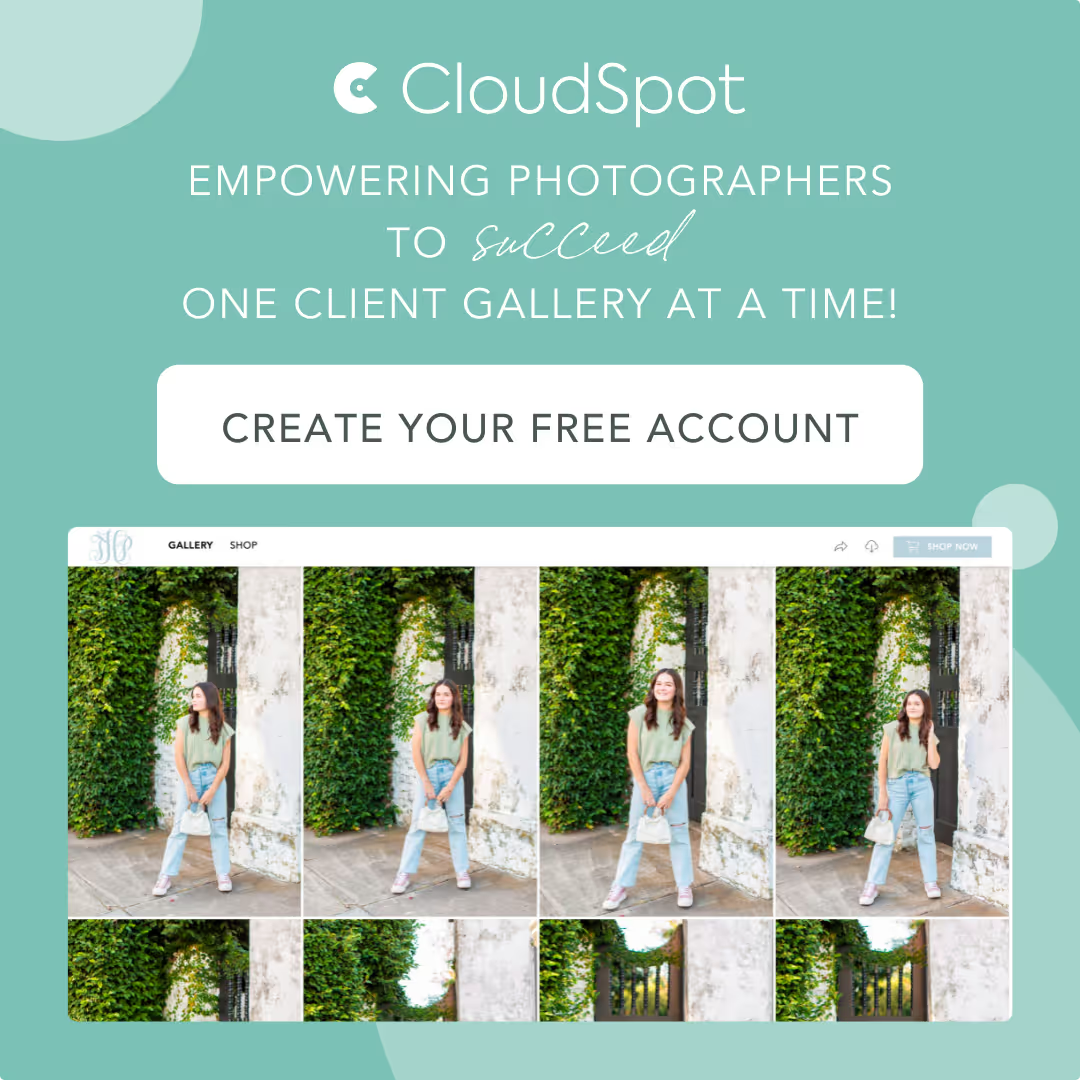
CloudSpot: Built specifically for professional photographers who want everything in one place without a steep learning curve. The platform combines online client galleries, contracts, invoices, payment processing, and studio management tools in a genuinely integrated system. Galleries are clean, mobile-friendly, and highly customizable with your branding. Contracts and invoices live within the same client portal as galleries, so clients experience one cohesive interaction with your business.
The standout feature is simplicity. CloudSpot is designed for photographers who are creatives first and business owners second. You don't need to be tech-savvy to set it up or use it daily. Client communication, session tracking, and workflow automation are built in without feeling overwhelming. The platform also includes gallery analytics so you can see which images clients engage with most—helpful for understanding your style's impact and guiding print sales conversations. Discover how photographers use CloudSpot to easily deliver photos in their daily workflow.
CloudSpot works well for wedding photographers, portrait photographers, and anyone who values a streamlined client experience. If you want a platform that handles the business side so you can focus on the creative side, this is worth exploring.
Pixieset: Known for beautiful galleries and a strong storefront for print and digital sales. The Pixieset photography platform has a clean, modern aesthetic that appeals to photographers who want their work to shine. Galleries load quickly, look great on mobile devices, and offer robust download and sharing options. The storefront functionality is excellent if print sales are a significant revenue stream for you.
Contracts and invoices are available within Pixieset, but they feel more like added features than core functionality. They work, but the integration isn't as seamless as platforms built around business management from the start. Pixieset is popular with wedding and portrait photographers who prioritize gallery presentation and want a polished storefront for product sales. If your business model centers on delivering beautiful images and selling prints, Pixieset deserves consideration.
HoneyBook: A robust CRM and business management platform that excels at lead management, workflow automation, and client communication. If you're focused on streamlining your inquiry-to-booking process, HoneyBook offers powerful tools for proposals, contracts, invoices, and payment plans. The automation features are extensive—you can build complex workflows that guide clients through your entire process with minimal manual intervention.
The catch? Galleries aren't HoneyBook's strength. The platform just started offering very light photo gallery options but compared to the professional market they serve there is still a big feature gap as of now. This works fine if you think of HoneyBook as your business management system and a more fully featured gallery provider like CloudSpot as an additional workflow tool. But it means your clients will experience two different platforms, and you'll manage two different systems while paying two subscriptions each month for the extra work. HoneyBook is best for photographers who prioritize lead management and business automation over integrated image delivery.
ShootProof: An established platform with strong gallery and print sales features. ShootProof gallery software has been around for years and built its reputation on helping photographers sell prints and products through customizable storefronts. The platform offers lab integration, so clients can order prints directly from your gallery, and you can set your markup without handling fulfillment.
Contracts and invoices were added more recently and work well for basic needs. The platform is reliable and feature-rich, though the interface can feel a bit dated compared to newer competitors. ShootProof is a solid choice for photographers whose business model includes significant print revenue and who want a platform that's been around long enough to prove its stability.
SmugMug: A long-standing platform known for high-quality image hosting, extensive storage, and print fulfillment options. SmugMug photography websites appeal to photographers who want a permanent home for their portfolio and client work, with unlimited storage plans and strong print sales capabilities. The platform offers customizable gallery designs and integrates with professional labs for product fulfillment.
Business management tools are more limited compared to other platforms on this list. You can sell prints and digital downloads, but contracts, invoices, and client management are either absent or require third-party integrations. SmugMug works well for photographers who prioritize archival storage and print sales over streamlined business workflows. If you want a reliable, permanent home for your images with strong print fulfillment, SmugMug is worth considering. If you need integrated contracts and invoicing, you'll likely need additional tools.
Which Platform Fits Your Photography Business Best
Choosing the right all-in-one platform isn't about finding the objectively "best" tool—it's about matching your specific workflow, business model, and priorities. Here's how to think about fit.
Wedding and Portrait Photographers Who Want Seamless Client Delivery: If your primary goal is delivering a polished, professional experience from booking through image delivery, you want a platform where galleries, contracts, and invoices are genuinely integrated. CloudSpot and Pixieset both fit this category, with CloudSpot leaning more toward business management and Pixieset leaning more toward gallery presentation. Consider how much time you currently spend on administrative tasks versus creative work, and choose the platform that reduces friction in the areas that drain you most. For wedding photographers specifically, understanding why you need dedicated image hosting software can guide your decision.
Photographers Focused on Print Sales and Product Revenue: If a significant portion of your income comes from prints, albums, and physical products, prioritize platforms with strong storefront features and lab integration. ShootProof and SmugMug both excel here, with established fulfillment partnerships and customizable product offerings. Pixieset also offers solid storefront functionality. The trade-off is that business management tools may be less robust, so you might still need separate systems for contracts and client tracking. Review these tips when encouraging photography print sales to maximize your revenue potential.
High-Volume or Mini-Session Photographers: If you shoot a high volume of sessions—think mini sessions, school portraits, or event photography—you need a platform that handles fast turnaround and easy client access. Look for features like batch uploading, quick gallery creation, and mobile-friendly viewing. CloudSpot and Pixieset both work well for high-volume workflows, with templates and automation that speed up delivery without sacrificing quality. Avoid platforms with complex setup processes that slow you down between sessions.
Photographers Prioritizing Lead Management and Business Workflows: If your biggest challenge is converting inquiries into bookings and managing client communication throughout the process, HoneyBook's CRM-first approach might be worth the trade-off of using a separate gallery platform. The automation and workflow tools are powerful, and for photographers who struggle with follow-up and client management, that value outweighs the inconvenience of linking to external galleries. Just be honest with yourself about whether you'll actually maintain two systems consistently. Learning how to book more clients as a wedding photographer can help you evaluate which features matter most for your growth.
Here's a practical way to decide: List your top three business pain points right now. Is it chasing payments? Spending too much time on admin tasks? Clients confused about where to find their images? Difficulty selling prints? Match those pain points to the platforms that solve them most directly. The right platform should make your biggest headaches disappear, not just add more features you won't use.
Frequently Asked Questions About All-in-One Photography Software
What is all-in-one photography software? All-in-one photography software is a single platform that handles multiple core business functions for photographers—typically client galleries, contracts, invoices, payment processing, and client management—without requiring separate tools or third-party integrations. It's designed to streamline your workflow and create a cohesive branded experience for your clients.
Can I switch platforms without losing my client data? Most platforms allow you to export client contact information, though the process and format vary. Gallery images and client communication history are harder to migrate—you'll likely need to download galleries manually and rebuild your client records in the new system. Before switching, check what data export options your current platform offers and what import tools your new platform provides. Many photographers choose to keep their old platform active temporarily for archival access while transitioning new clients to the new system.
Do I really need contracts and invoices built into my gallery software? You don't technically need them integrated, but it significantly improves the client experience and reduces your administrative workload. When clients can view their gallery, sign their contract, and pay their invoice all within the same branded portal, they're more likely to complete each step without delays. For you, it means fewer platforms to check, easier tracking of client status, and less time spent copying information between systems. If you're currently managing these separately and it's working fine, there's no urgent need to change. But if you're feeling overwhelmed by juggling multiple tools, integration makes a meaningful difference.
How do all-in-one platforms handle payment processing fees? Payment processing fees vary by platform. Some platforms use third-party processors like Stripe or Square, which charge standard rates (typically around 2.9% plus 30 cents per transaction). Others have their own payment processing with similar or slightly different rates. A few platforms charge a small additional platform fee on top of processing fees. When comparing platforms, look at the total cost of processing payments, but also consider the value of features like payment plans, automated reminders, and integrated invoicing. A platform that helps you get paid faster or reduces missed payments is worth a slightly higher processing fee.
Finding Your Perfect Fit
Choosing all-in-one photography software isn't about finding the perfect tool—it's about finding the right tool for how you work and what you want your business to feel like. The platform that works beautifully for a high-volume portrait photographer might feel like overkill for a wedding photographer who shoots twenty events a year. The system that streamlines admin tasks for one photographer might not solve the pain points that keep you up at night.
Start by getting honest about where you're losing time and energy right now. Is it administrative tasks? Client communication? Chasing payments? Delivering galleries? The right platform should make your biggest headaches disappear, not just add more features to learn.
Think about your client experience too. When someone books a session with you, they should feel like they're working with an established, professional photographer—not someone cobbling together free tools. A cohesive, branded experience from booking through delivery builds trust and makes clients more likely to refer you to friends.
If you're a professional photographer who wants everything in one place without the complexity, CloudSpot is built specifically for you. It combines beautiful galleries, contracts, invoices, payments, and client management in a system that's genuinely easy to use. You can focus on your creative work while your business runs smoothly in the background. Try CloudSpot free and see if it's the solution you've been looking for.