


















very photographer hits the same moment after a session wraps: the images are edited, the folder is ready, and now you have to figure out how to actually get them to your client. It sounds simple, but the method you choose shapes a lot more than just the file transfer. It affects how your client experiences your work, how much control you keep over your files, and how professional the whole handoff feels.
Here's the thing: there's no single right answer for every situation. A wedding photographer delivering 800 high-resolution images to a couple has very different needs than a real estate shooter sending compressed files to an agent by noon. What works beautifully in one context can feel awkward or clunky in another.
This guide compares five common photo-sharing methods honestly — including where each one shines and where it falls short. By the end, you'll have a clear sense of which approach fits your photography business, plus a simple checklist to help you make the call faster next time.
Note: This article focuses on choosing between delivery methods. For the step-by-step workflow of actually getting files to clients, see our guide on how to deliver photos to clients online.
What to Consider Before Choosing a Method
Before comparing options, it helps to know what you're actually optimizing for. A few questions worth asking:
How many images are you delivering? A handful of preview shots and a full wedding gallery have completely different requirements. File count and total size will rule out some methods before you even start.
Who is your client? A marketing director at a tech company is comfortable navigating a shared Drive folder. A grandmother receiving her family portraits might not be. Match the method to the person receiving it.
How long does your client need access? Some methods are one-and-done transfers. Others let clients return to their gallery for months or years. That ongoing access matters a lot for wedding and portrait clients.
Do you want to sell prints? If print sales are part of your business model, most general-purpose tools won't support that. You'll need a platform built for it.
How important is your branding? A generic Dropbox link is functional. A branded gallery with your logo and colors is an experience. Both are valid, depending on context.
With those questions in mind, here's how the five main options stack up.
1. Online Client Gallery
The Challenge It Solves
Most photographers want delivery to feel like part of the client experience, not just a file dump at the end. But building that experience used to require cobbling together separate tools for hosting, sharing, proofing, and selling. An online client gallery brings all of that into one place.
The Strategy Explained
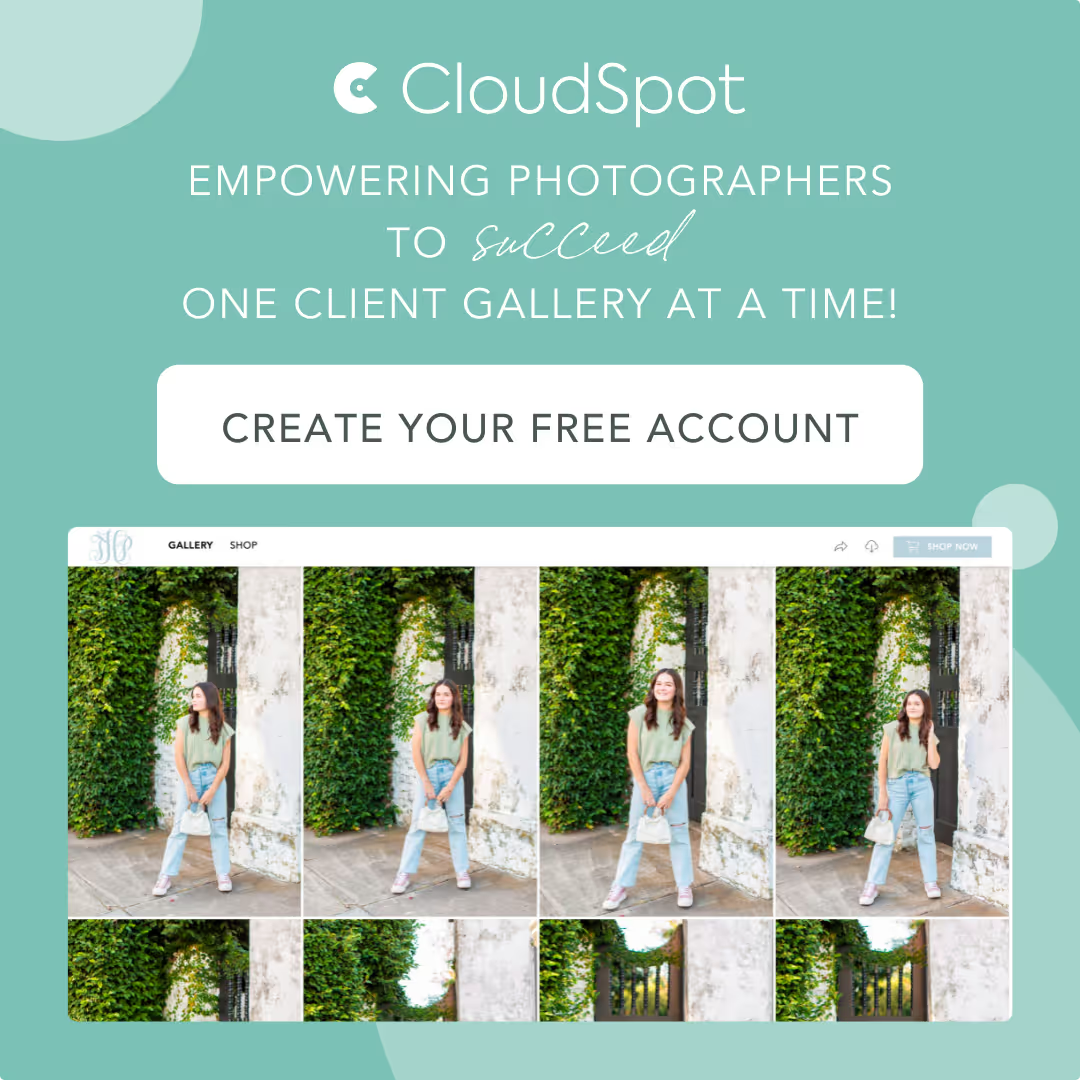
A purpose-built client gallery platform hosts your images in a branded, browsable space your client can access from any device. Clients can view their photos, mark favorites, download files, and order prints, all without needing a separate account or technical know-how.
Platforms like CloudSpot Client Galleries let you control exactly what clients can download, set gallery expiration dates, track visitor activity, and connect an integrated print store. That combination of polish and practicality is hard to replicate with general-purpose tools.
Implementation Steps
1. Upload your edited files to your gallery platform and organize them into albums or sections if needed.
2. Customize the gallery with your branding, set download permissions, and configure any expiration settings.
3. Send your client a gallery link with a short, warm note explaining how to navigate it.
Pro Tips
Use the favorites feature to let clients flag the images they love most before you place a print order or create an album. It saves back-and-forth emails and gives clients a sense of involvement. Visitor activity tracking also tells you when a client has actually opened their gallery, which is helpful if you're following up on a print order or an unanswered email.
Best for: Wedding, portrait, family, senior, and event photographers delivering full sessions to individual clients.
Primary limitation: Requires a subscription to a gallery platform. Overkill for one-off commercial transfers or quick file handoffs to collaborators.
2. Cloud Storage: Google Drive and Dropbox
The Challenge It Solves
Sometimes you need to get files to someone fast, and they're already living in Google Workspace or Dropbox. For commercial clients, photo editors, and creative collaborators, a shared folder is often the most frictionless option because it fits into tools they're already using.
The Strategy Explained
Google Drive and Dropbox let you create a shared folder, drop your files in, and send a link. The recipient can download everything or sync it directly to their own account. It's familiar, reliable, and free up to storage limits.
The tradeoff is that these tools weren't designed for client delivery. There's no gallery browsing experience, no branding, no download controls, and no way to sell prints. Your client sees a list of files, not a curated presentation of their images. For a commercial client who just needs the assets, that's fine. For a bride seeing her wedding photos for the first time, it's a missed opportunity.
Implementation Steps
1. Create a clearly named shared folder and organize files into subfolders if the volume warrants it.
2. Set sharing permissions carefully: view-only, comment, or edit access depending on who's receiving the files.
3. Send the link with clear instructions on how to download, since the interface isn't always intuitive for non-technical clients.
Pro Tips
If you use Google Drive or Dropbox for commercial work, keep your folder naming conventions consistent. It makes it easier for clients to find files later and signals that you're organized. For portrait or wedding clients, consider whether a branded gallery would serve them better even if it takes a few extra minutes to set up.
Best for: Commercial clients, photo editors, creative directors, and collaborators who are already working in these ecosystems.
Primary limitation: No gallery experience, branding, download controls, or print sales. Not purpose-built for consumer client delivery.
3. File-Transfer Services
The Challenge It Solves
Sometimes you just need to move a large batch of files quickly, without setting up a gallery or worrying about long-term access. File-transfer services handle that specific job well.
The Strategy Explained
Services like WeTransfer let you upload files and generate a download link that you send directly to the recipient. The link is typically active for a set period before it expires. There's no account required on the recipient's end, which removes friction for one-time transfers.
This works well for sending sneak peek selects to a client before the full gallery is ready, handing off raw or edited files to a retoucher, or delivering final assets to a commercial client who just needs the files. It's not a gallery. It's a handoff.
Implementation Steps
1. Upload your files to the transfer service and note the expiration window so you can communicate it to the recipient.
2. Add a message explaining what's included and any instructions for downloading.
3. Send the link and follow up if the recipient hasn't downloaded before expiration.
Pro Tips
File-transfer links are great for sneak peeks precisely because they feel temporary. Sending a client a few favorites via transfer link creates anticipation for the full gallery without giving everything away at once. Just make sure your client knows the link will expire so they don't lose access before downloading.
Best for: Sneak peeks, editor handoffs, one-time commercial file deliveries, and large-file transfers where ongoing access isn't needed.
Primary limitation: Links expire. No ongoing access, no gallery browsing, no print sales, no branding.
4. Email Attachments
The Challenge It Solves
Email is the most familiar communication tool your clients use, which makes it feel like the obvious delivery method. For a small number of preview images, it genuinely is the path of least resistance.
The Strategy Explained
Attaching images directly to an email works for 1-5 low-to-medium resolution files: social media previews, a sneak peek of one or two favorites, or a quick proof for approval. The client doesn't need to click a link, log in, or download anything separately. It's right there in their inbox.
For full sessions, though, email hits a wall fast. Most email providers cap attachment sizes well below what a full-resolution session requires. Sending a wedding gallery via email isn't just impractical, it's technically not possible at full resolution. Even if you compress files down to make it work, you're delivering a degraded version of your work.
Implementation Steps
1. Use email attachments only for previews, proofs, or social-sized images where file size is naturally small.
2. Label files clearly so clients know what they're looking at.
3. For anything beyond a handful of images, use one of the other methods and reference it in the email body.
Pro Tips
A sneak peek email with one or two beautiful images attached is a great touchpoint between the session and the full gallery delivery. It keeps the excitement alive and gives clients something to share right away. Just don't let it become a habit for full deliveries.
Best for: Sneak peeks, proofs, social media previews, and low-res shares. Supplementary communication, not primary delivery.
Primary limitation: File size limits make full-resolution delivery impossible. Zero control over downloads or access after sending.
5. USB Drives and Physical Media
The Challenge It Solves
Some clients want something they can hold. For clients who aren't comfortable with technology, or for photographers who offer heirloom-style packages, a physical USB drive can feel more tangible and lasting than a download link.
The Strategy Explained
USB drives are a legitimate delivery option, especially as an add-on to digital delivery rather than a replacement for it. A branded USB in a nice box, included with a print package, can feel like a premium finishing touch. For older clients or those in areas with limited internet access, it may also be the most practical option.
The tradeoffs are real, though. You're adding production time, material cost, and shipping logistics to every delivery. There's also the risk of a drive getting lost or damaged in transit, leaving your client without their files. And unlike a gallery link, a USB can't be updated, corrected, or re-sent without starting over.
Implementation Steps
1. Copy final files to the drive and verify everything is there before packaging.
2. Label the drive clearly with the client's name and session date.
3. Ship with tracking, or hand-deliver if possible, and consider pairing it with a digital backup via gallery or cloud storage.
Pro Tips
If you offer USB drives, pair them with digital delivery rather than replacing it. That way, if the drive is lost or damaged, your client still has access to their images. It also gives them the convenience of mobile access and the tangibility of a physical keepsake at the same time.
Best for: Heirloom portrait packages, clients with low tech comfort, and as a premium add-on to digital delivery.
Primary limitation: Production time, material cost, and risk of loss or damage. Not practical as a standalone delivery method for most photographers.
Method Comparison at a Glance
Here's a quick reference to help you compare the five options side by side.
nline Client Gallery | Best for: Wedding, portrait, family, senior, event photographers | Primary advantage: Branded experience, download controls, print sales, long-term access | Primary limitation: Requires a platform subscription
Cloud Storage (Google Drive / Dropbox) | Best for: Commercial clients, editors, collaborators | Primary advantage: Familiar tools, free up to storage limits | Primary limitation: No gallery experience, branding, or print sales
File-Transfer Services | Best for: Sneak peeks, editor handoffs, one-time commercial transfers | Primary advantage: Fast, large-file capable, no account required | Primary limitation: Links expire; no ongoing access or gallery browsing
Email Attachments | Best for: Previews, proofs, social media shares | Primary advantage: Zero friction for clients | Primary limitation: File size limits make full-resolution delivery impossible
USB / Physical Media | Best for: Heirloom packages, low-tech clients, premium add-ons | Primary advantage: Tangible and lasting | Primary limitation: Production time, cost, and risk of loss
Which Method Fits Your Photography?
The right choice often comes down to what kind of work you shoot and who your clients are. Here's a quick guide by use case.
Wedding photographers: A branded online client gallery is the clear fit. You're delivering hundreds of high-resolution images to a client who will return to them for years. Download controls, expiration settings, and a print store all add real value.
Family and portrait photographers: Same logic applies. A gallery gives clients a beautiful first look at their images and a natural path to ordering prints. For mini sessions with a shorter turnaround, a gallery still works well, just with a simpler setup.
Commercial and real estate photographers: Cloud storage or file-transfer services are often the most practical choice. Your clients are usually other professionals who need the assets quickly and have their own systems for organizing files.
Event photographers: Depends on the client. Corporate event clients often prefer a Drive folder or transfer link. Individual clients at events like mitzvahs or parties will appreciate a gallery experience more.
Sneak peeks: A transfer link or email attachment works well for a handful of favorites. Save the full gallery reveal for when the complete edit is ready.
Large projects with multiple stakeholders: Cloud storage with organized folders is often the most practical option when multiple people need access and the files will be used across different teams.
A Note on Sharing High-Resolution Photos
One question that comes up often: what's the best way to share full-resolution files without losing quality or running into size limits?
Email attachments aren't the answer for full-res delivery. Cloud storage and transfer services can handle large files, but they don't offer the delivery experience most portrait and wedding clients expect. A purpose-built gallery platform stores and delivers full-resolution files without compression, while also giving clients a proper browsing experience.
If file size is your main concern for a specific project, a transfer service handles large batches well. If client experience matters alongside file quality, a gallery is the better fit.
Your Photo-Sharing Decision Checklist
Next time you're deciding how to deliver a session, run through these questions:
1. How many images am I delivering, and what's the total file size?
2. Is this a consumer client (wedding, portrait, family) or a professional collaborator (commercial, editorial)?
3. Does my client need long-term access, or is this a one-time transfer?
4. Do I want to offer print sales or upsells through the delivery?
5. How important is branding and presentation to this particular client relationship?
6. Is this a full session delivery, a sneak peek, or a file handoff to a collaborator?
If most of your answers point toward consumer clients, full sessions, long-term access, and print sales, a branded client gallery is almost certainly your best option. If you're primarily doing commercial work or quick file handoffs, cloud storage or a transfer service will serve you just as well with less overhead.
For most wedding, portrait, family, and event photographers, a dedicated gallery platform covers the full range of what you need: professional presentation, practical controls, and a path to print revenue. If you haven't tried one yet, Try CloudSpot Free! and see how it fits into your workflow.



How to Choose the Best Photo Gallery Delivery Platform


The Best Way to Share Photos With Clients: 5 Options Compared

How to Deliver Photos to Clients Online